Nokia 3220 with NFC
A prototype Nokia 3220 NFC shell has been on loan from Matt Jones at Nokia for a few weeks. Touch it to a tag, the phone vibrates sharply, a light flashes, and something happens, a phone call, a web page, an SMS. It’s the second Nokia phone with an RFID reader-writer, and it is solid enough to build with.
Thanks to Matt Jones and Nokia for the loan. This is the platform I’ve been waiting for, to think about NFC in mobile services, stickering and touch.
First impressions
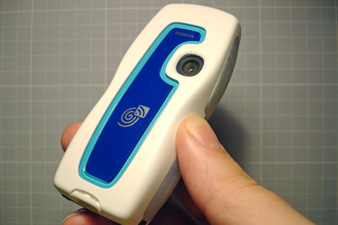
The interaction between phone and RFID tags has been good. The reader-writer is on the base of the phone, at the bottom. This is a little awkward at first but becomes natural. When I’ve given it to others, their immediate reaction is to point the top of the phone at the tag. Nothing happens. There follows a few moments of explanation as the intricacies of RFID meet the phone’s Nokia ‘fingerprint’ icon. As phones increasingly become replacements for contactless cards, this interaction will become more habitual.
Once the Service Discovery application is running, the read time from tags is really quick. The sharp vibrations and flashing lights add to a solid feeling of interacting with something, both haptic and visual. As a platform for embodied interaction with information and function, this works.
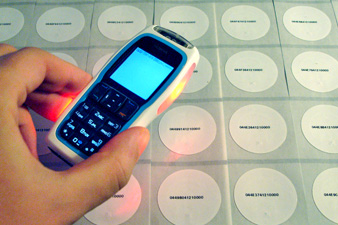
The ability to read and write to tags makes the platform broader than just advertising or ticketing. As an interaction designer I feel enabled by this: the three basic functions (making phone calls, going to URLs, sending SMSes) are enough to start thinking about tangible interactions, without having to program Java midlets or server-side applications.
I’m happy that Nokia is putting this technology into a low-end phone rather than pushing it out in a ‘smartphone’ range. Low-end is where the potential for wider usage and mass-market applications sits, especially around gaming and content discovery.
Improvements
The Service Discovery application has been a little unreliable to launch. Sometimes it works, sometimes it doesn’t, and it’s difficult to tell why. It would be good to be able to place the phone on the table, knowing it will respond to a tag; instead I have to check. The version on this prototype still identifies itself as one, so the released version may sort this out.
Overall there’s a lack of integration between Service Discovery and the rest of the system. Contacts, SMS archive, service bookmarks. At the moment you need to enter the application to write and manage tags, or to give a shortcut to another phone, but as with Bluetooth and IR this should be part of the contextual menus that appear under ‘Options’ within each area of the phone. There are also some infuriating prompts when interacting with URLs, more below.
Details
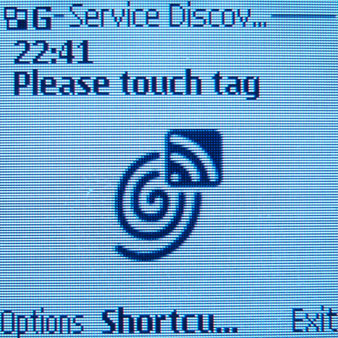
The phone opens the Service Discovery application when it detects a compatible RFID tag near the base of the phone (with the keypad lock off). This part is a bit obscure: sometimes it doesn’t wake up for a tag, and the application needs to be loaded before it will read properly. Once the application is open (two to three seconds) the read time seems instantaneous.
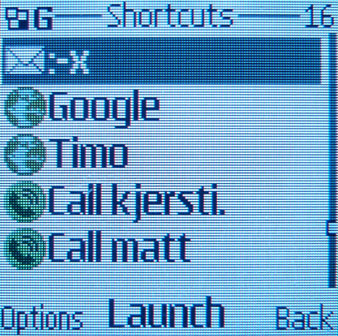
The shortcuts menu gives access to shortcuts. Confusingly, this is different from ‘bookmarks’ and from the ‘names’ list on the phone, although names can be searched from within the application. Tighter integration with the OS is needed.
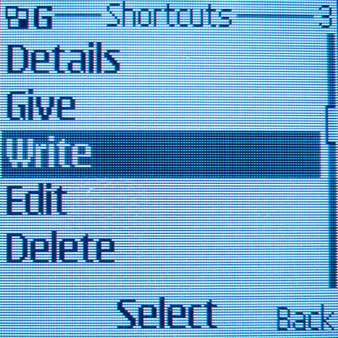
Shortcuts can be added, edited and deleted in the same way as contacts. They can be ‘given’ to another phone or ‘written’ to a tag.
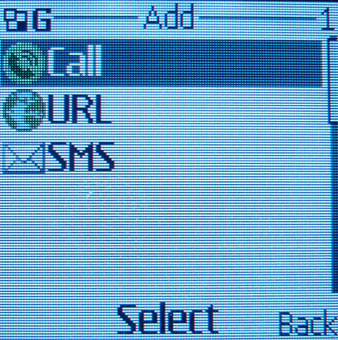
There are three kinds of shortcut: Call, URL, or SMS. Call dials a pre-defined number. URL loads a pre-defined URL. SMS sends a pre-defined SMS to a particular number. This part has the most room for innovative extensions: setting the state of the phone, changing profiles, changing themes, downloading graphics. All of these could be achieved by loading URLs, but URLs and mobiles don’t mix, so why present them when a more usable layer could sit between? Preferences for prompts would also help, at the moment each action has to be confirmed yes or no, but in some secure environments a function should be launchable without the extra button push.
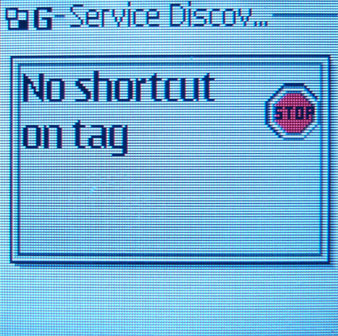
If a tag contains no data we are notified and placed back on the main screen (as happened when I tried to write to my Oyster card).
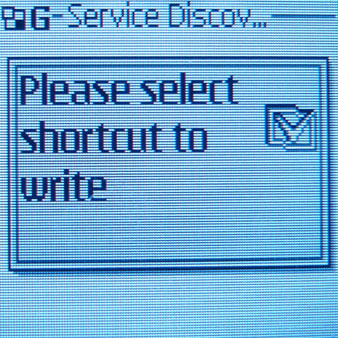
If the tag is writeable we are asked which shortcut to write to the tag.
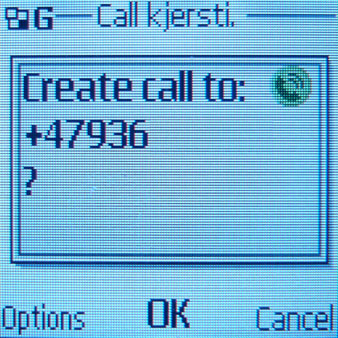
When a tag with a shortcut is touched, a prompt appears asking for confirmation. This is to prevent mistakes, and provides a level of security, but it reduces overall usability. With URL launching, there are two stages of confirmation, which is infuriating. There needs to be some other mode of confirmation, and Service Discovery needs to sit deeper in the system to avoid these double button presses.
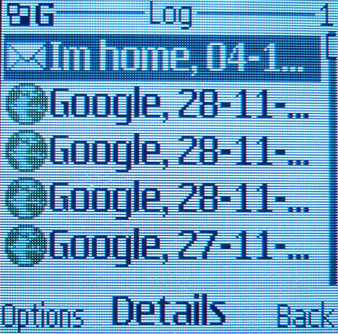
Lastly, there is a log of actions. Useful to see if the application has been reading something in your bag or wallet without you knowing.